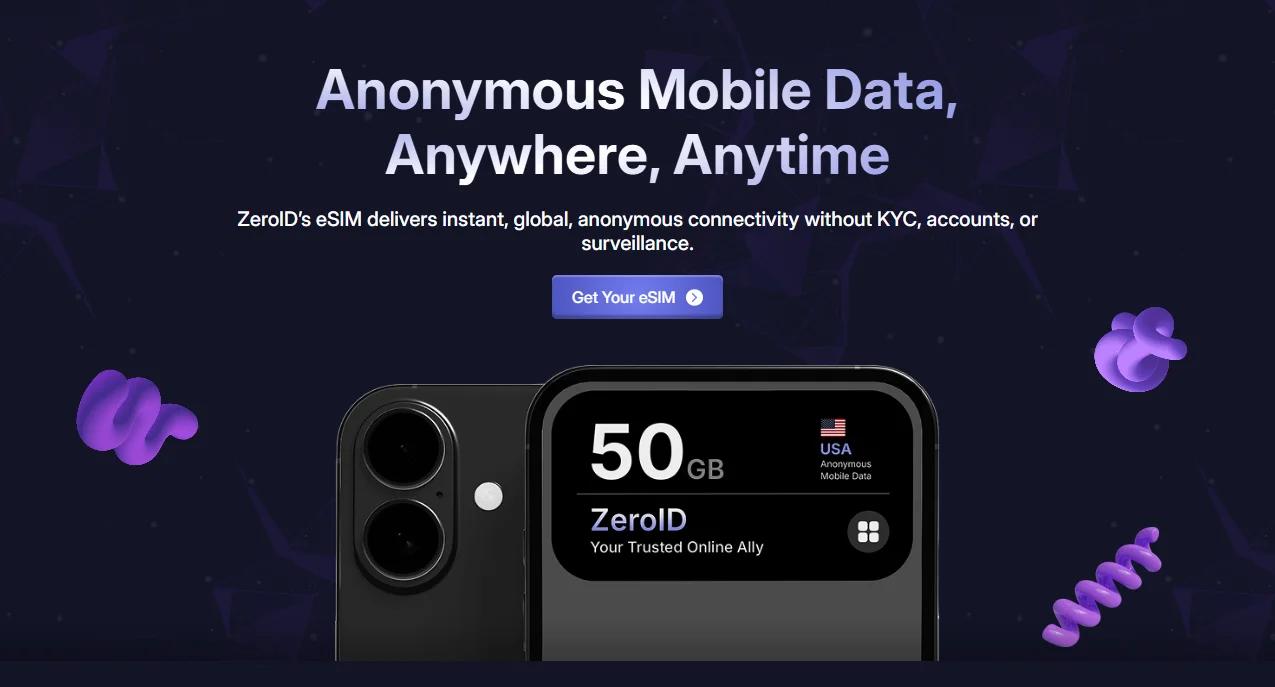
Staying connected without sacrificing your privacy is more important than ever. A ZeroID anonymous eSIM allows you to access mobile data without providing personal information, documents, or identity verification. Whether you’re traveling, using crypto, or simply value privacy, ZeroID offers a secure eSIM solution designed for anonymity.
This guide will walk you through how to buy a ZeroID eSIM step by step, from choosing the right plan to installing your eSIM—completely anonymously.
What Is a ZeroID Anonymous eSIM?
- Anonymous
– no personal data required - Secure
– blockchain-based crypto payments - Instant
– delivered immediately after payment - Global
– works in multiple countries and regions
Step-by-Step Guide: How to Buy a ZeroID Anonymous eSIM
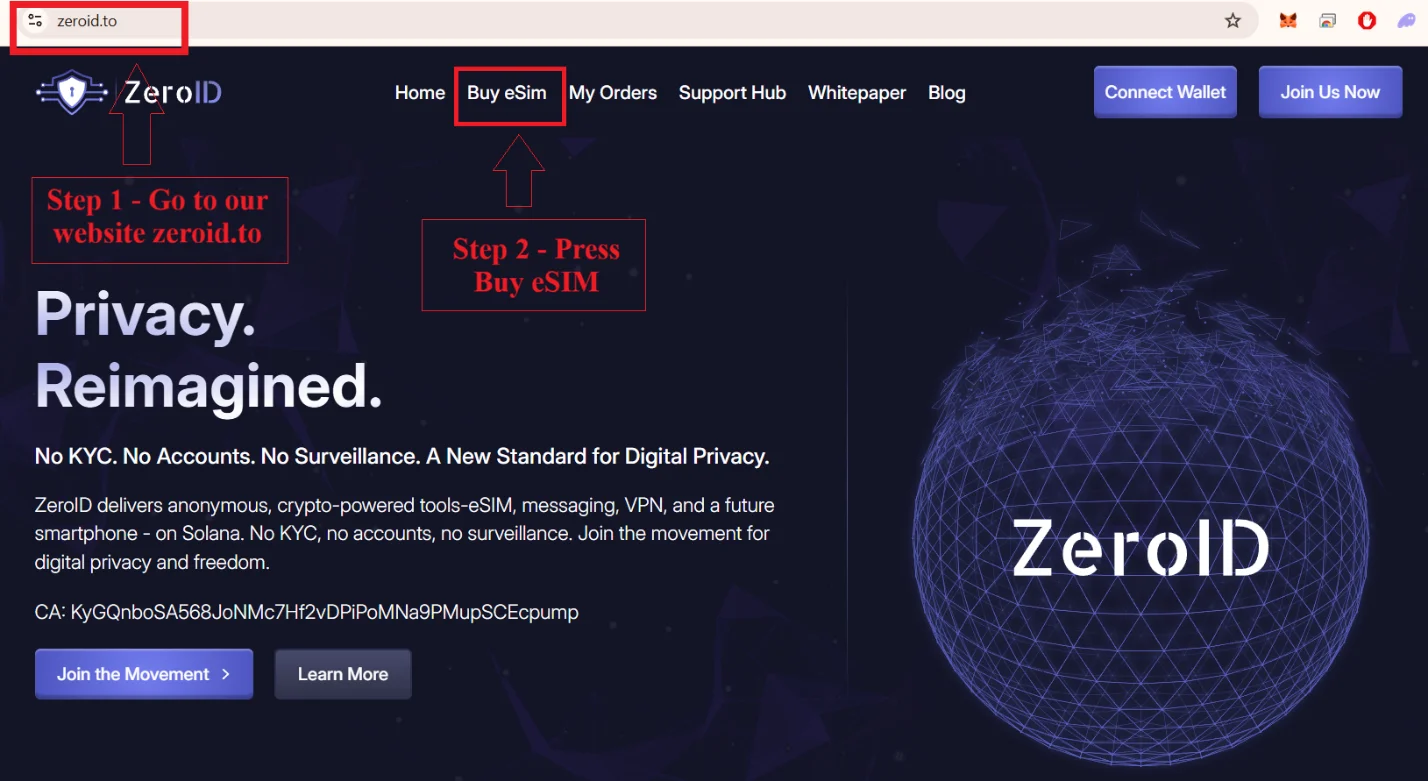
Step 1: Visit the ZeroID Website
Go to https://zeroid.to/ and click “Buy eSIM” from the main menu.
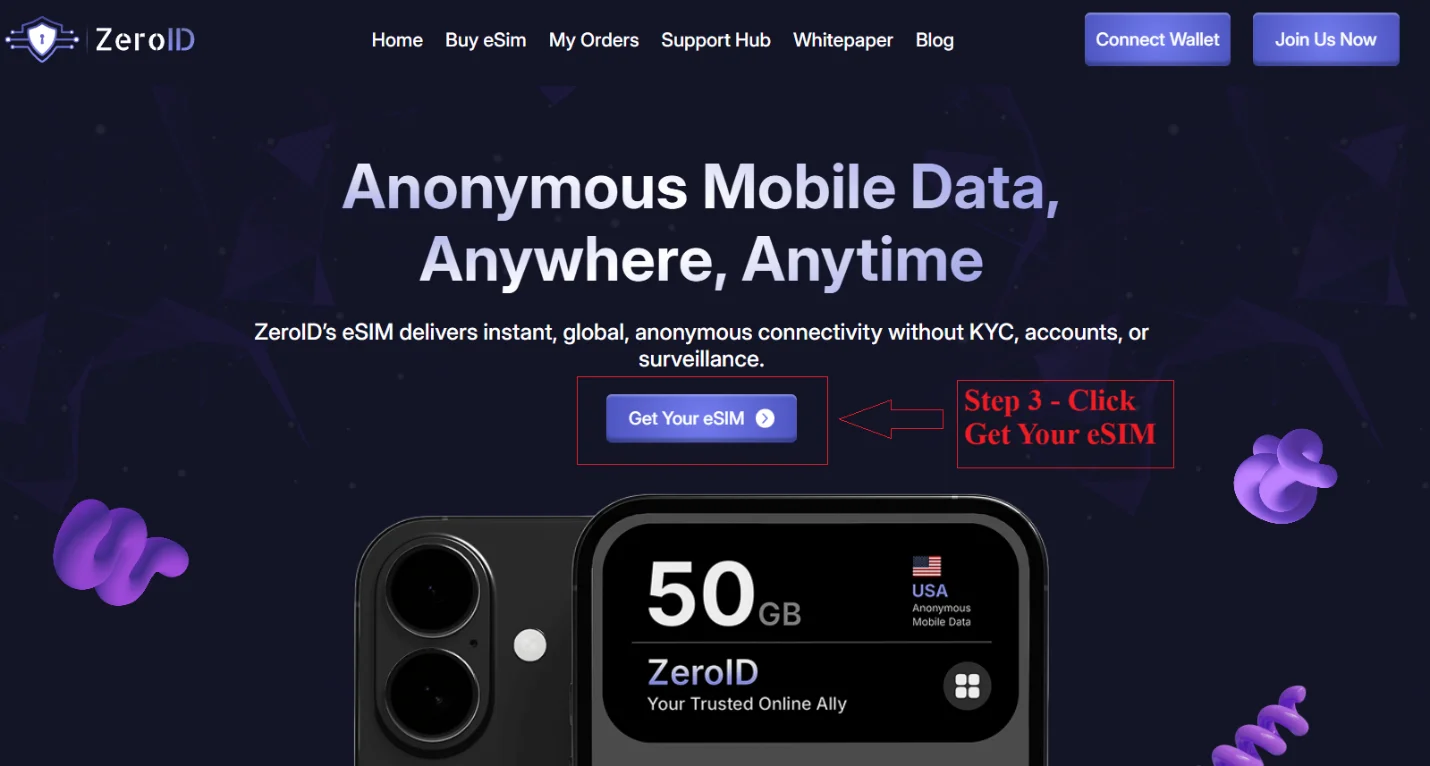
Step 2: Start Your Purchase
Click the “Get Your eSIM” button to begin.
Step 3: Choose the Right eSIM Type
ZeroID offers three types of secure eSIM plans:
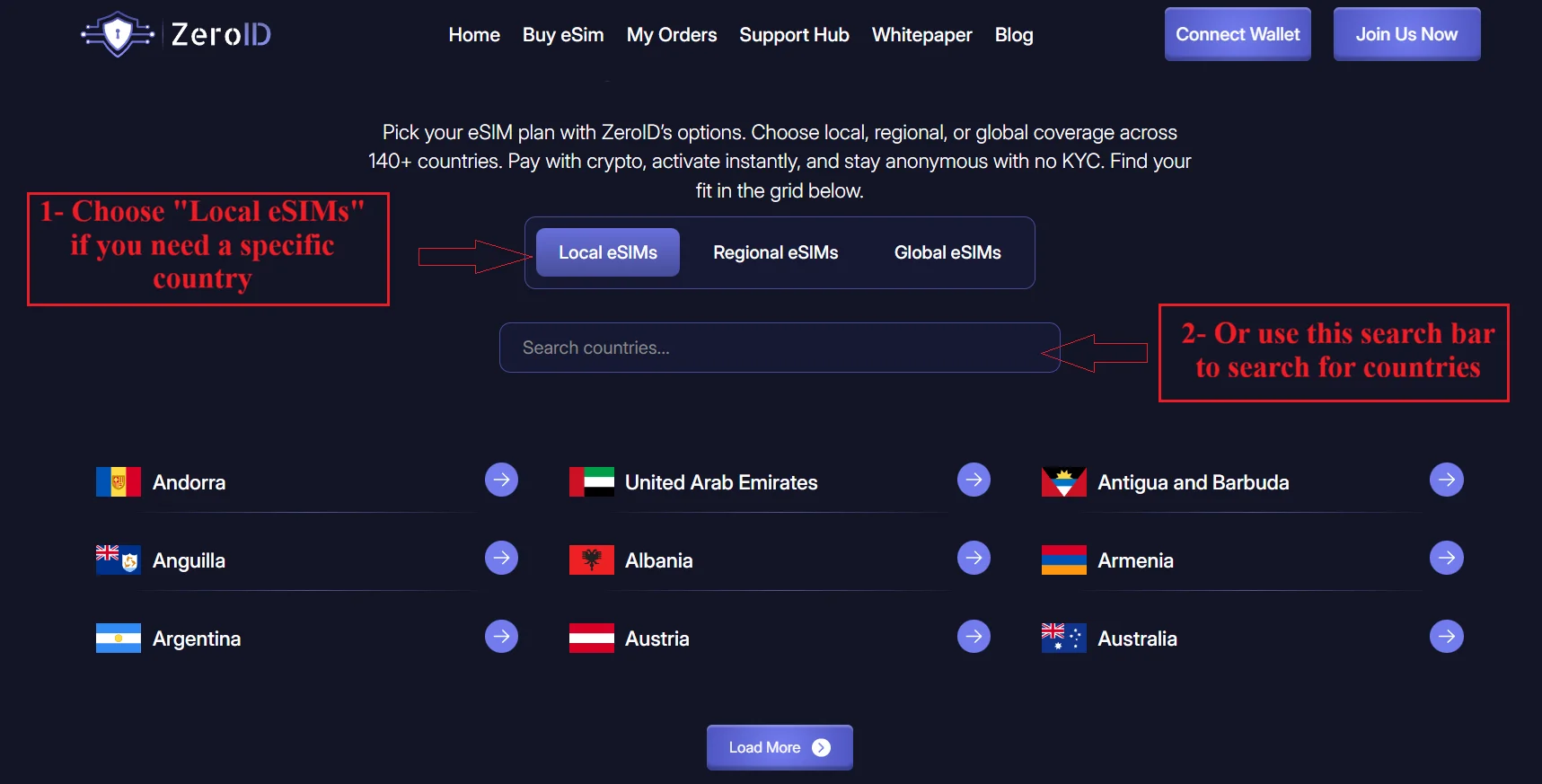
Local eSIM
Choose this if you need data in one specific country.
You can use the search bar to quickly find your destination.
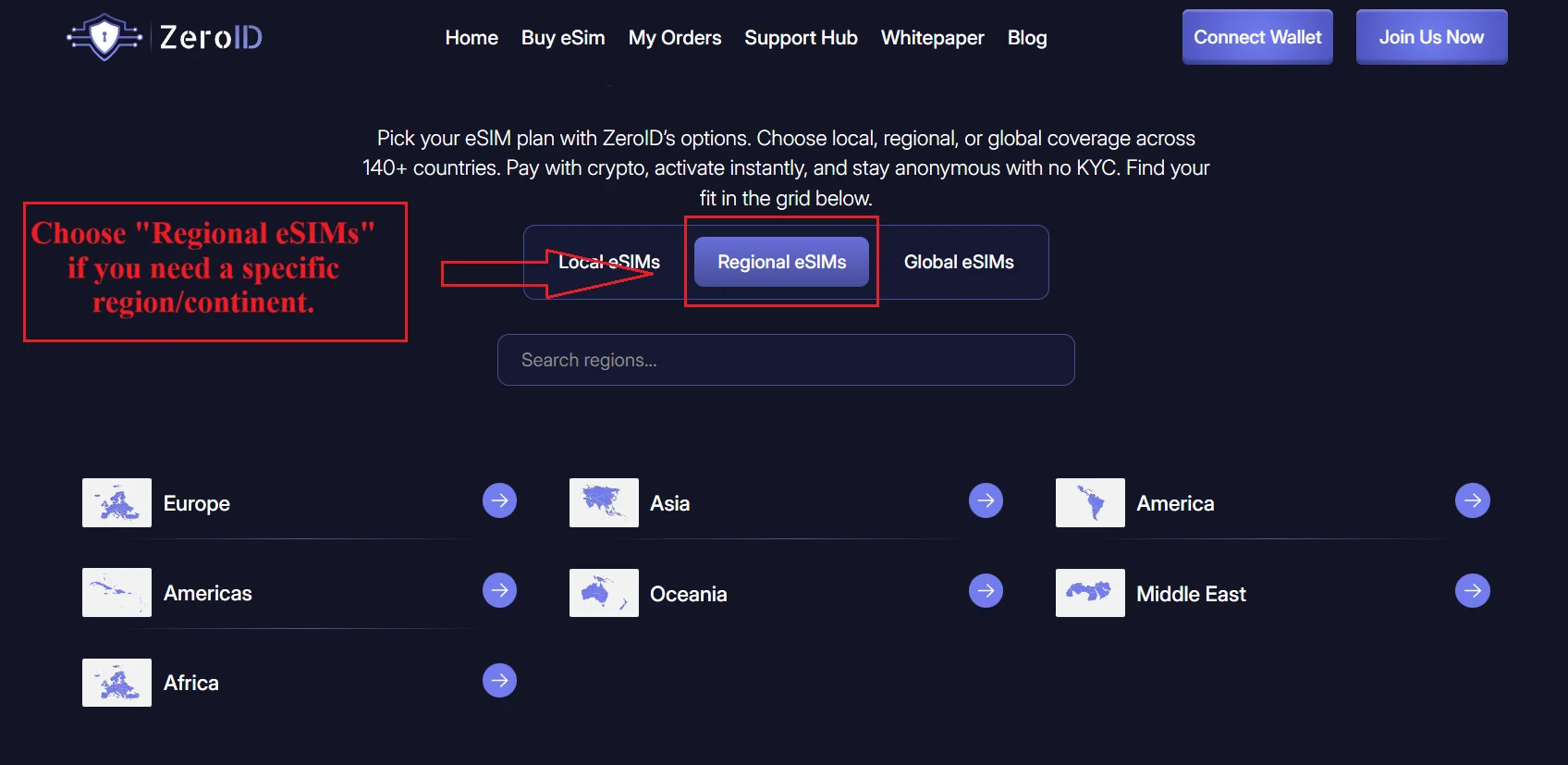
Regional eSIM
Choose this if you need coverage across a specific region or continent, such as Europe or Asia.
Global eSIM
Choose this if you want a global anonymous eSIM that works in multiple countries worldwide.
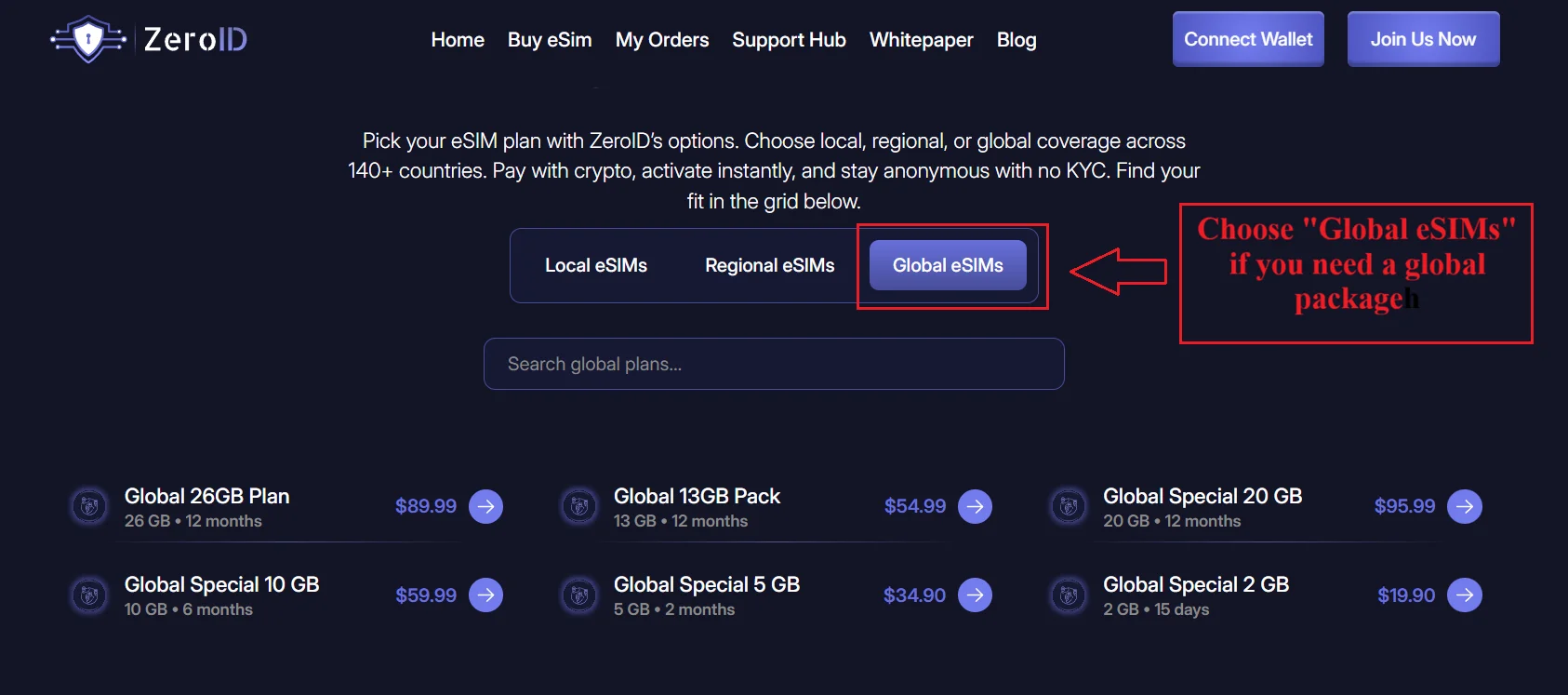
Step 4: Select Your Data Package
Browse the available plans and choose the package that fits your data needs.
Click “Buy NOW” on the selected eSIM.
Step 5: Connect Your Crypto Wallet
A payment window will appear asking you to connect your wallet.
Select your preferred wallet. In this example, Phantom Wallet is used.
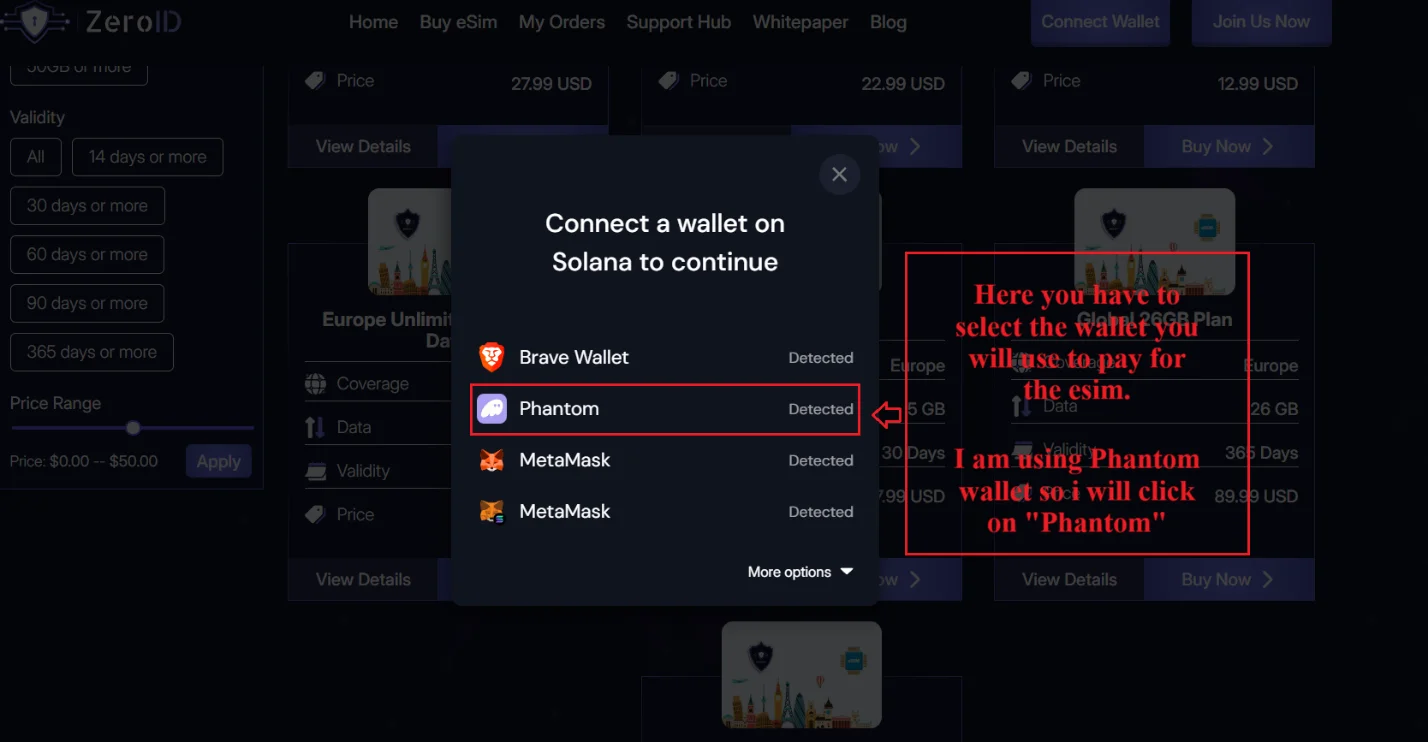
Click “Connect” to proceed.
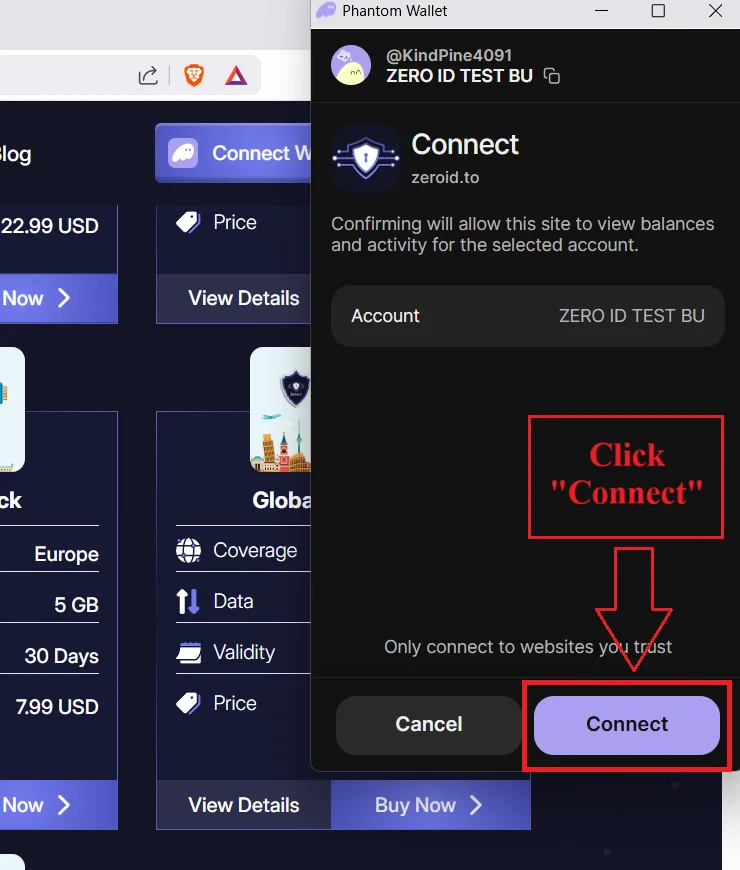
Step 6: Choose a Secure Payment Method
You can pay using:
Solana (SOL)
ZeroID Token
For this guide, Solana is selected.
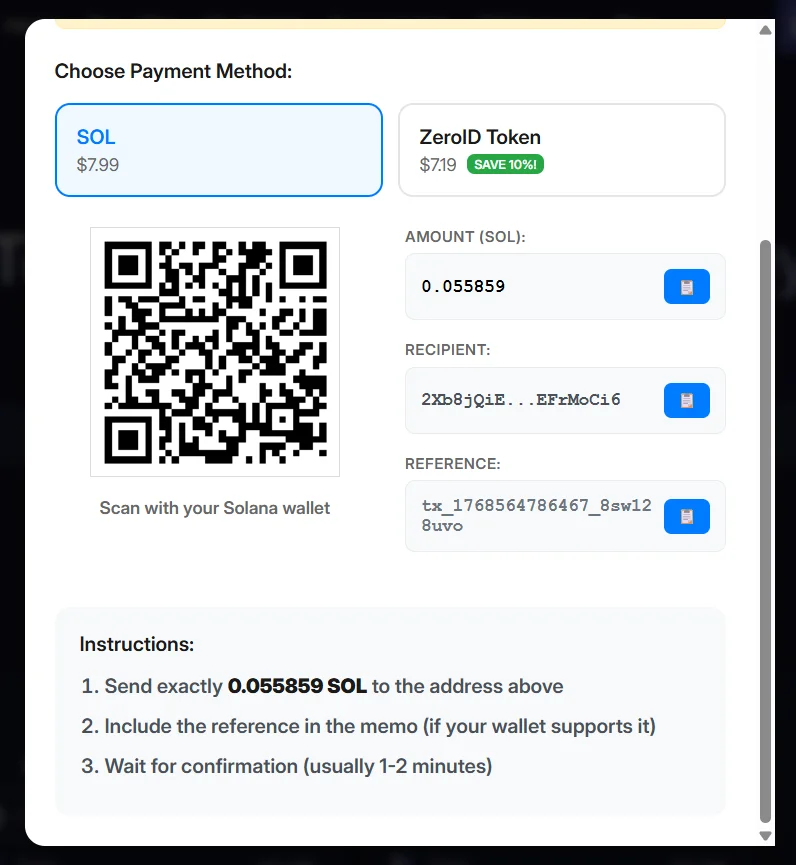
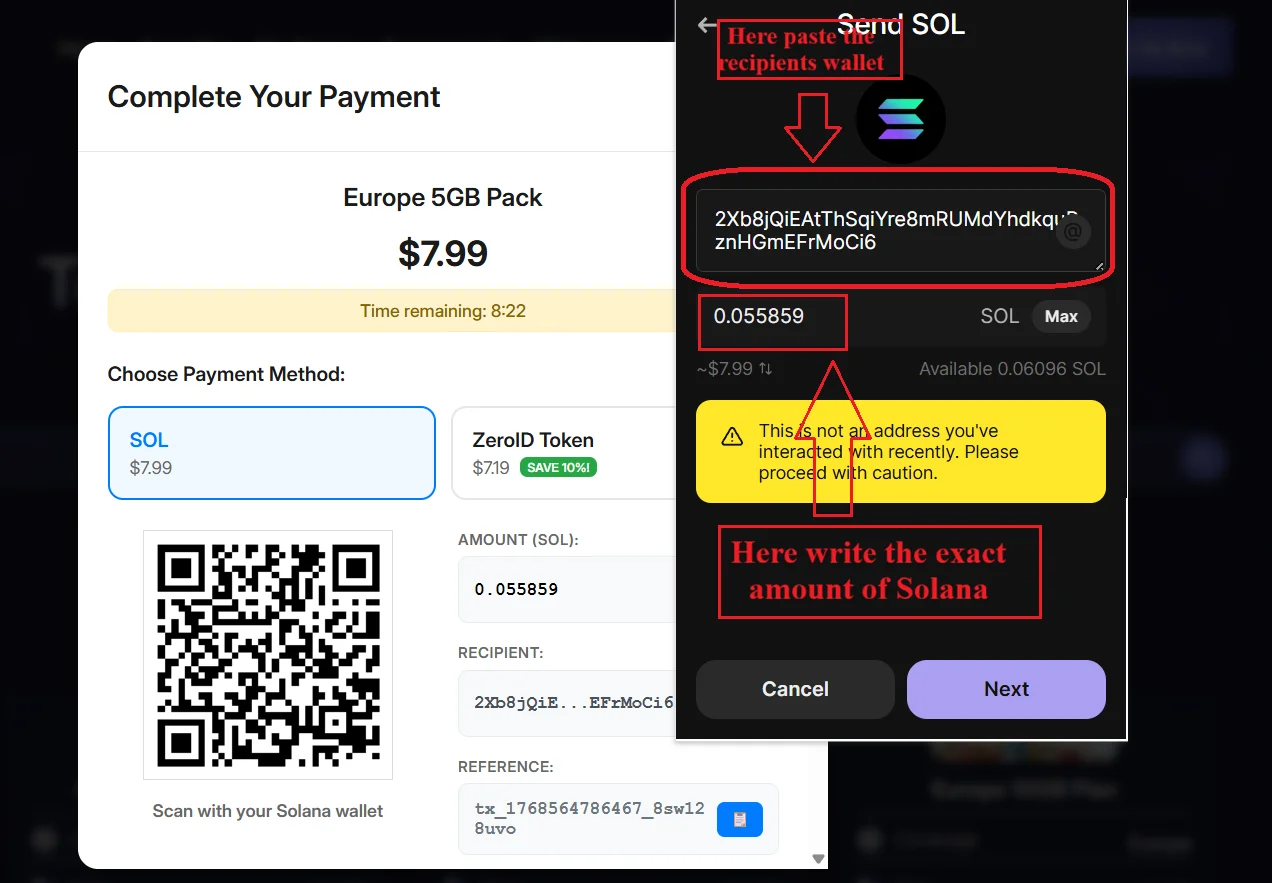
Step 7: Complete the Payment
1.
2.
3.
Example:
Amount to send: 0.055859 SOL
Click “NEXT” and confirm the transaction.
Step 8: Payment Confirmation
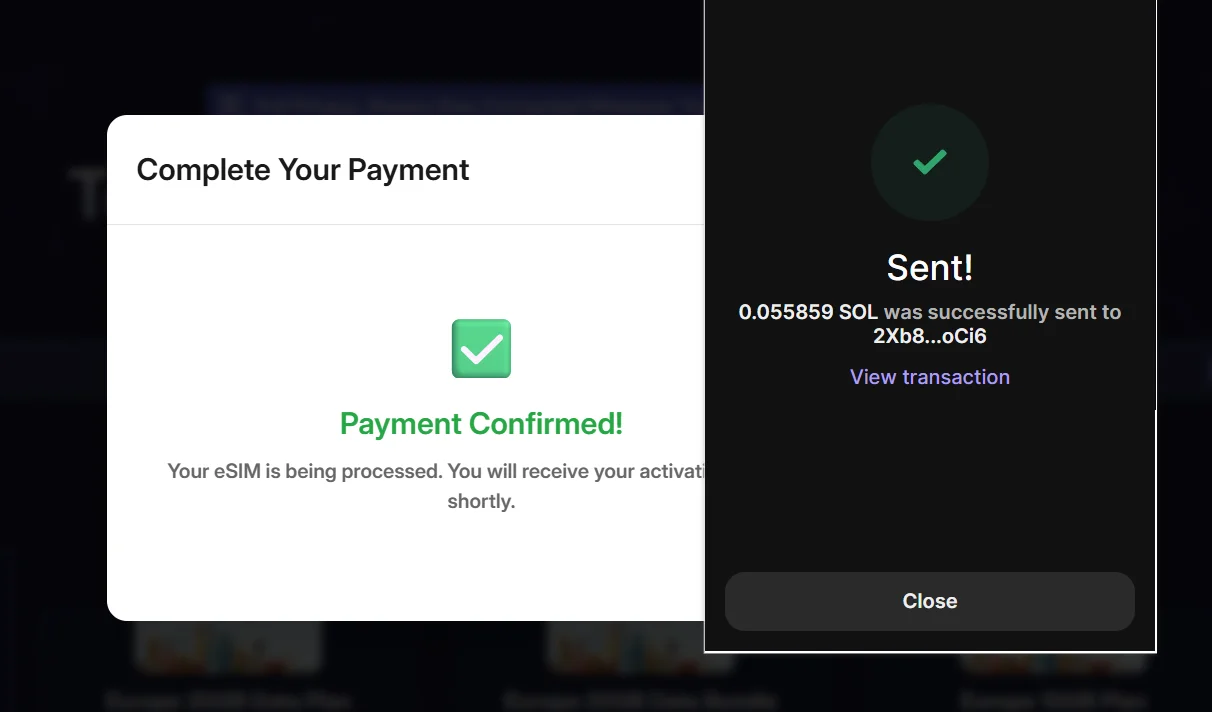
Solana transactions are very fast, and your payment will usually be confirmed within seconds.
Once completed, you will see a “Payment Confirmed” message.
Step 9: Access and Install Your eSIM
1.
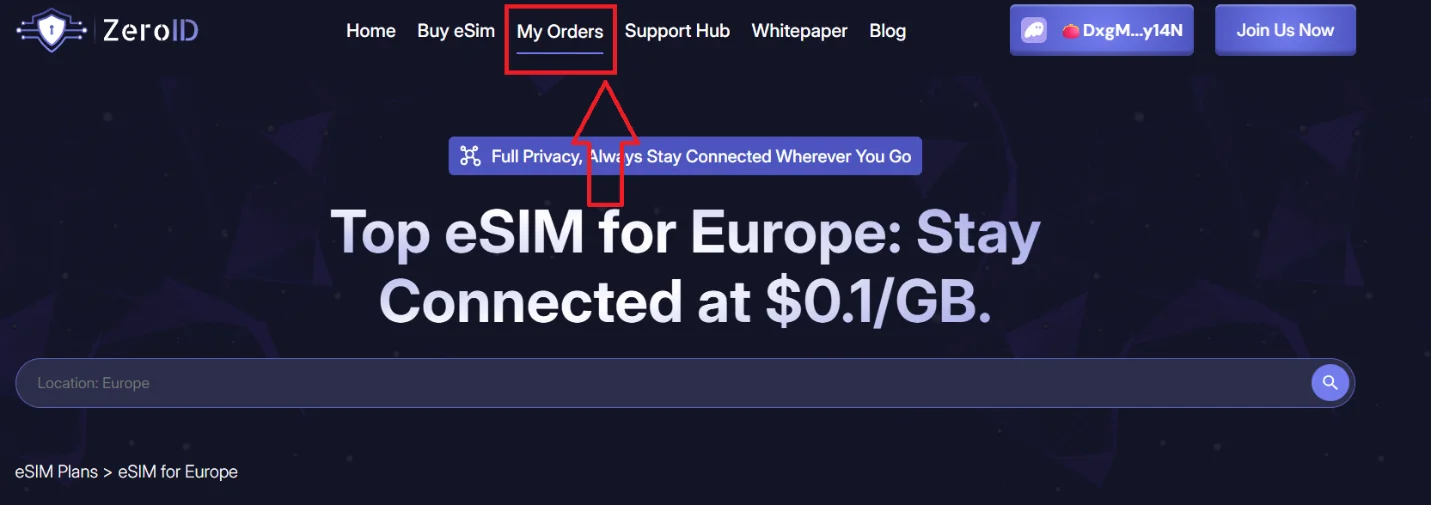
2.
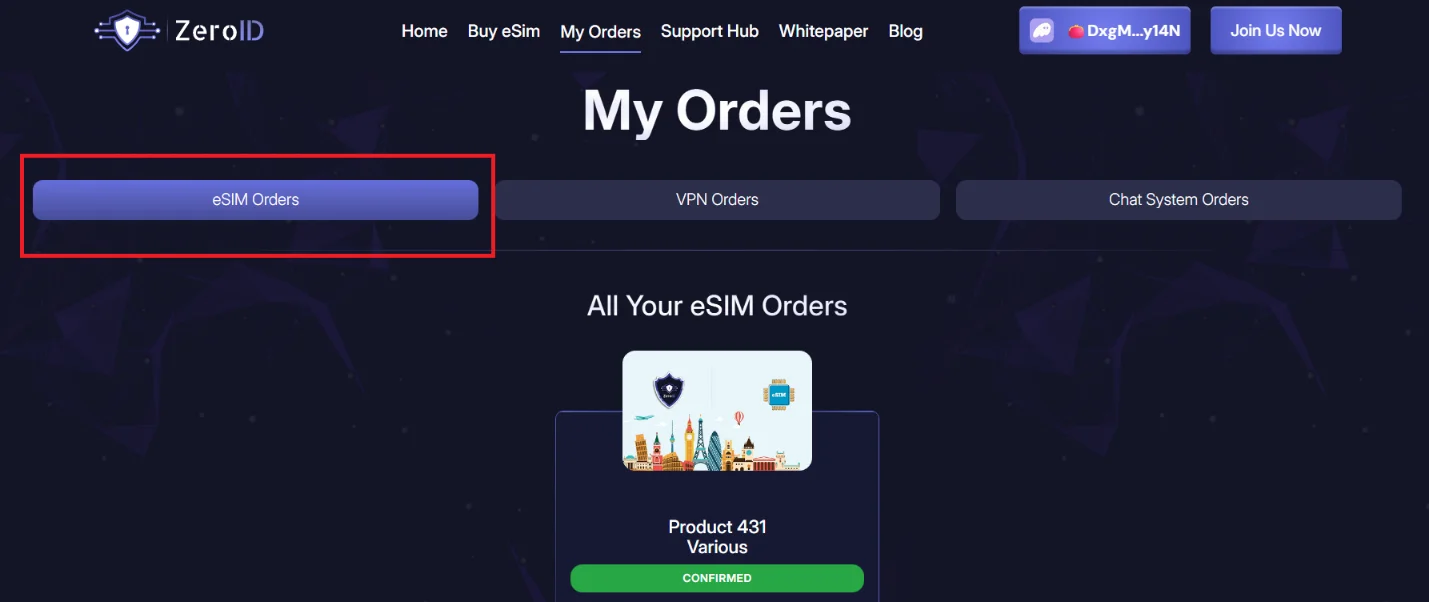
3.
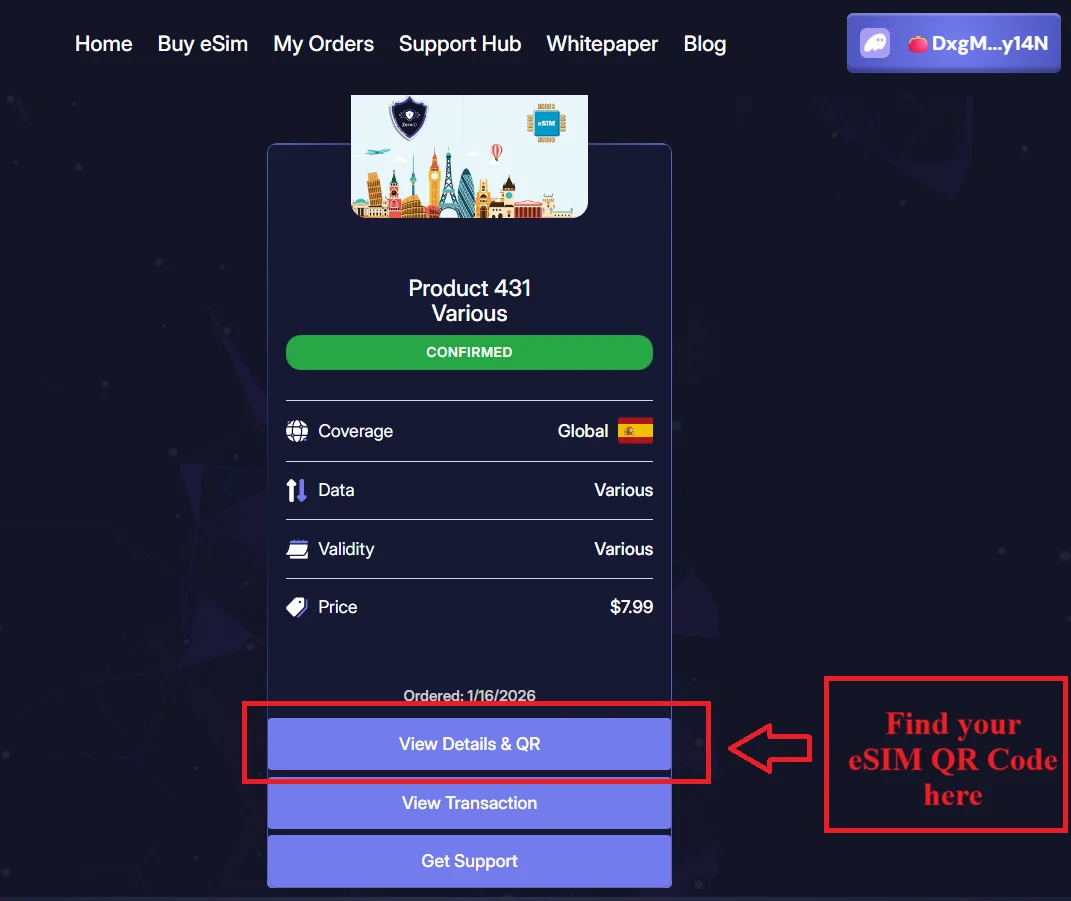
You will find the QR code needed to install your ZeroID eSIM on your device.
Scan the QR code using your phone’s eSIM setup settings, and your secure eSIM will be activated.
Why Choose ZeroID for an Anonymous and Secure eSIM?
ZeroID stands out as a privacy-focused eSIM provider because it offers:
No ID or KYC requirements
Crypto payments for full anonymity
Fast delivery and instant activation
Reliable coverage with secure mobile data
If you are looking for a trusted anonymous eSIM, ZeroID provides a simple and secure solution.
Final Thoughts
Buying a ZeroID anonymous eSIM is fast, secure, and completely private. With no personal information required and blockchain-based payments, ZeroID is an ideal choice for anyone who values online privacy and secure connectivity.
In just a few minutes, you can purchase, install, and start using your ZeroID secure eSIM—fully anonymously.